The global animation software market, including 2D animation services, is on a strong upward trend with tools valued at over $151 billion in 2025 and projected to grow further by 2026 as demand increases across industries.
Choosing the right animation software for beginners is important for anyone who is just starting, if they want to learn quickly and confidently. There are a lot of animation tools for beginners that are easy to use and affordable. This means that new creators can learn the basics without having to deal with steep learning curves.
The right animation software transforms curiosity into capability and ambition into skill. – Syed Irtiza Ali, Brand Manager at Animakerz
Choosing the right software early on sets the stage for future growth, whether you want to make custom 2D animation services, animated infographics, or short videos that explain things.
Why Choosing the Right Animation Software Matters
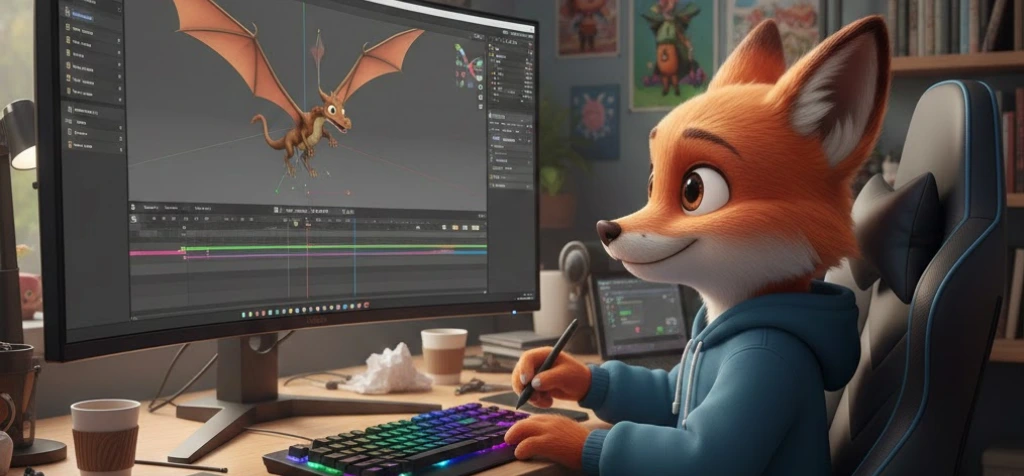
Choosing the right animation software for beginners isn’t just a technical choice; it also affects how quickly you learn, make things, and grow. Beginners should look at the features of animation software and see if they match their creative goals, whether they are focused on 2D storytelling, 3D modeling, or motion graphics.
The right platform also improves time and cost efficiency. Beginner-friendly tools reduce frustration, accelerate skill development, and allow smooth integration with complementary creative services like voice-over recording, post-production editing, and visual effects. This flexibility becomes especially valuable when working on commercial outputs such as logo animation services or expanding into advanced projects like 3D product animation services.
When choosing software, consider whether it offers:
- Simple and intuitive user interface
- Strong tutorial and community support
- Flexible export options for multiple platforms
- Compatibility with audio and video editing tools
- Scalable features for advanced growth
Understanding Your Animation Goals Before Picking Tools
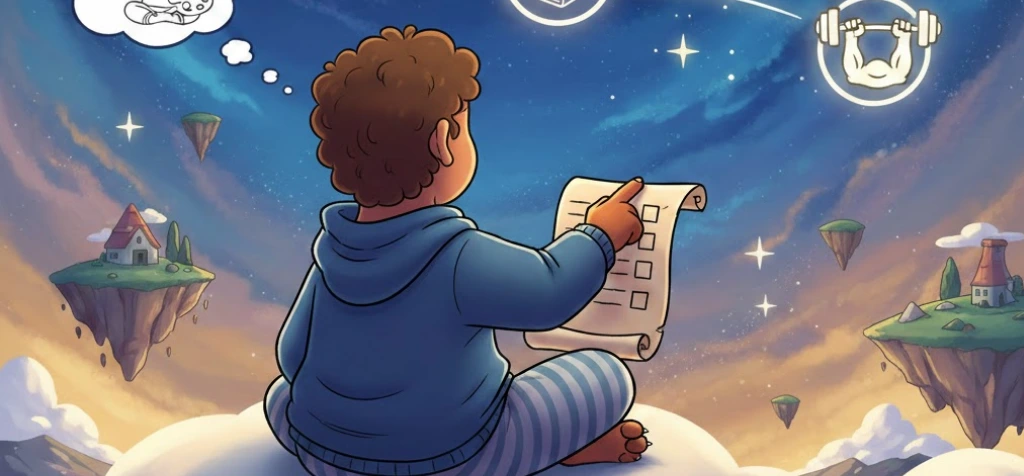
Before selecting the right software, it is essential to define your animation goals clearly. Different formats demand different technical capabilities. Whether you aim to create content aligned with 2D animation services, explore advanced 3D animation, or produce engaging visuals through motion graphics services, your objectives will determine the tools you need.
Before selecting the right software, it is essential to define your animation goals clearly. Different formats demand different technical capabilities. Whether you aim to create content aligned with 2D animation services, explore advanced 3D animation, or produce engaging visuals through motion graphics services, your objectives will determine the tools you need.
Key considerations before choosing software include:
- Target audience and content format
- Preferred publishing platform
- Level of animation complexity
- Budget and licensing model
- Availability of storyboard and pre-visualization features
- Long-term skill development goals
List of Best Animation Software for Beginners
Below is a structured comparison of leading beginner-friendly animation platforms in 2026.
| Software | 2026 Features | What They Offer | Why They Stand Out |
|---|---|---|---|
| Blender | Real-time rendering, improved sculpt tools, procedural workflows | 3D modeling, 3D product animation, character rigging | Free, open-source, and powerful for beginners entering 3D animation |
| Adobe After Effects | Advanced motion presets, plugin ecosystem, social export formats | Motion graphics services, animated explainer videos, social media animations | Industry-standard for motion design with strong creative flexibility |
| Toon Boom Harmony | Enhanced drawing engine, rigging improvements | Cartoon animation, frame-by-frame animation, educational content | Trusted by professional studios for structured 2D workflows |
| Moho (Anime Studio) | Smart bone rigging, timeline optimization | 2D animation, logo animation, social media content | Beginner-friendly with strong character animation tools |
| Vyond | Cloud-based templates, drag-and-drop interface | Whiteboard videos, corporate training animations | Ideal for business and educational users with no prior animation skills |
| Synfig Studio | Vector tweening, automatic in-betweening | Open-source 2D animation with frame control | Cost-effective option for beginners exploring hand-drawn styles |
| Cinema 4D | Advanced motion graphics engine, Redshift integration | 3D industrial and marketing animation | Strong integration with motion design workflows |
| Autodesk Maya | Enhanced simulation tools, advanced character rigging | 3D games, medical animation, motion capture | High-end professional software widely used in film and gaming |
| Powtoon | Pre-built marketing templates, brand kits | Explainer videos, marketing animation | Quick content creation for non-technical users |
| Adobe Animate | HTML5 canvas support, interactive features | 2D cartoons, educational videos, logo animation | Excellent for web-based animations and cross-platform compatibility |
Breakdown of Best Animation Software for Beginners in 2026
1. Blender
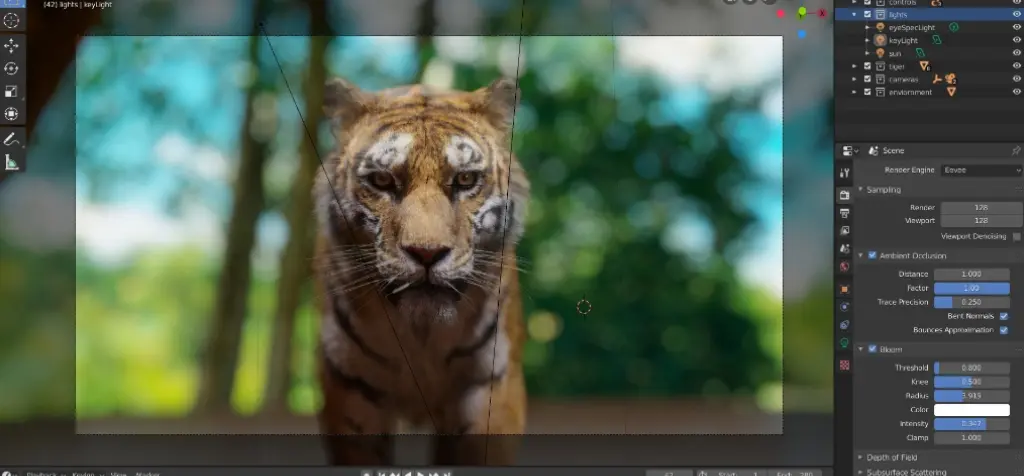
Blender is widely regarded as one of the most powerful open-source 3D animation software options for beginners and professionals alike. Its flexible interface allows users to explore 3D animation, 3D game animation, and character rigging efficiently, making it ideal for learning advanced modeling and production workflows.
Core Capabilities
- Advanced 3D modeling and sculpting tools
- Procedural animation and node-based workflows
- Character rigging and simulation systems
- Real-time rendering with Eevee and Cycles
- Export support for multiple file formats
Developers, designers, and aspiring animators prefer Blender for its zero-cost access, strong community support, and professional-grade features that scale from beginner experiments to studio-level productions.
2. Adobe After Effects
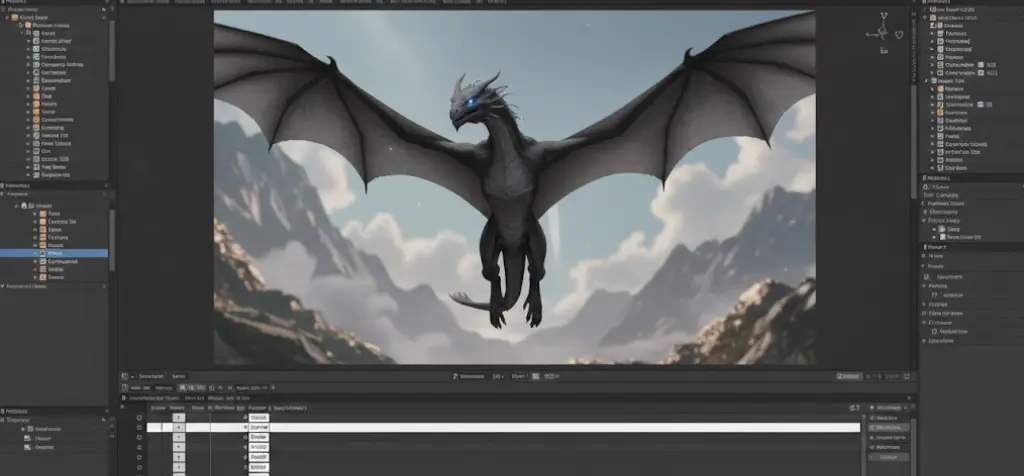
Adobe After Effects is widely recognized as a leading motion graphics and visual effects platform for creative professionals. Its robust timeline system enables users to produce motion graphics services, 2D animated explainer video services, and social media animation with precision and creative flexibility.
Core Capabilities
- Layer-based motion graphics editing
- Plugin extensions for enhanced functionality
- Advanced keyframe and visual effects controls
- Seamless integration with other Adobe tools
- High-resolution export for multiple platforms
Creative agencies and content teams prefer After Effects for its industry-standard performance and ability to handle complex animation workflows efficiently.
3. Toon Boom Harmony
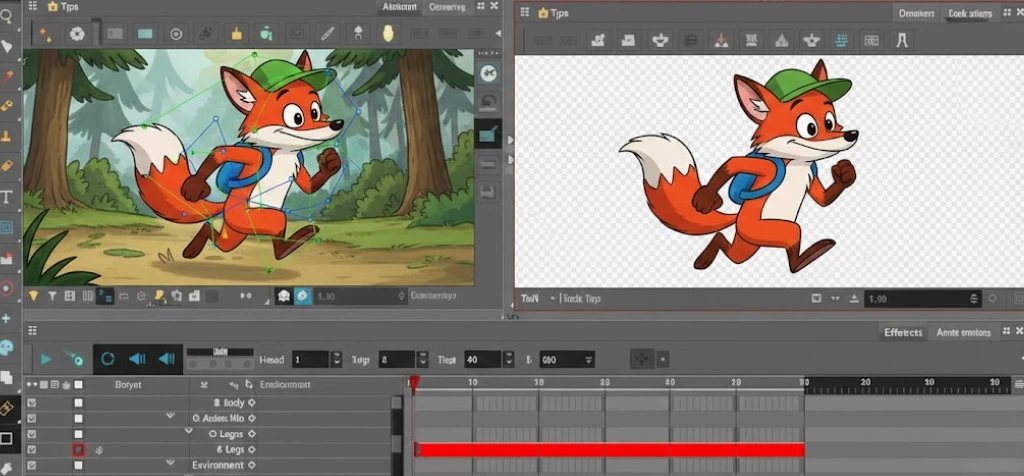
Toon Boom Harmony is considered one of the best professional tools for 2D character animation and structured 2D animation services. Its comprehensive drawing and rigging system supports both beginners and studio-level production environments.
Core Capabilities
- Frame-by-frame and rig-based animation tools
- Vector and bitmap drawing options
- Advanced character rigging system
- Multi-layer compositing and camera controls
- High-quality export for broadcast and digital platforms
Animation studios and educators prefer Toon Boom Harmony for its precision, scalability, and ability to manage complex storytelling projects.
4. Moho (Anime Studio)
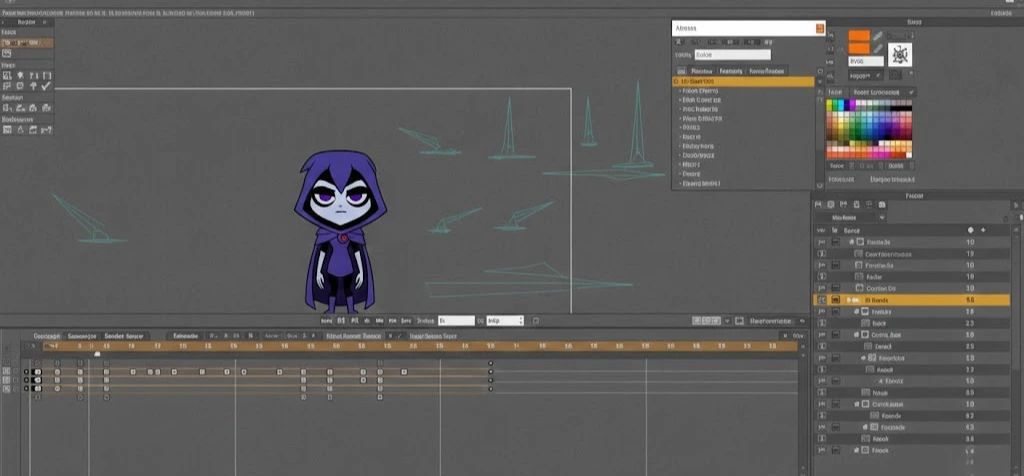
Moho is beginner-friendly 2D animation software known for simplifying character-based projects and logo animation services. Its smart rigging system allows smooth animation without complex manual adjustments.
Core Capabilities
- Smart bone character rigging
- Frame-by-frame animation support
- Timeline-based scene editing
- Vector drawing and shape tools
- Export options optimized for digital media
Freelancers and small studios prefer Moho for its balance between usability and professional output quality.
5. Vyond
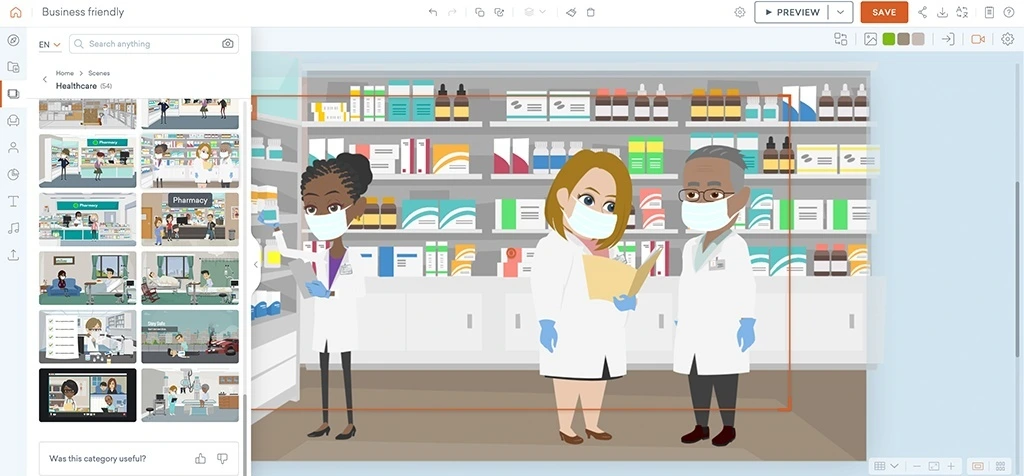
Vyond is cloud-based animation software designed for whiteboard animation services and corporate storytelling. Its template-driven approach helps beginners create educational and business animations quickly.
Core Capabilities
- Drag-and-drop scene builder
- Pre-designed corporate and educational templates
- Character customization tools
- Built-in voiceover and caption support
- Cloud-based export and sharing options
Business professionals and trainers prefer Vyond for its speed, simplicity, and efficiency in producing structured animated presentations.
6. Synfig Studio
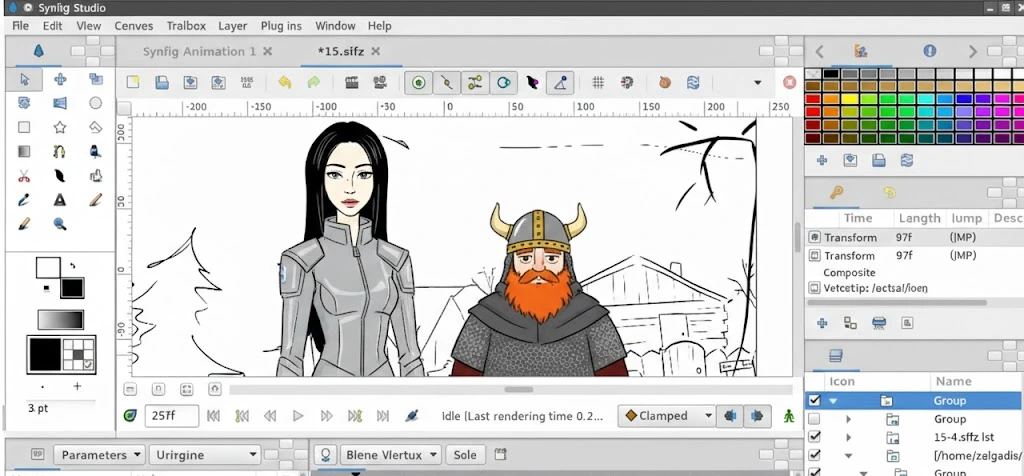
Synfig Studio is an open-source 2D animation software ideal for beginners exploring frame-by-frame techniques without financial investment. It supports vector-based workflows and automated tweening features.
Core Capabilities
- Vector-based animation engine
- Automatic in-between frame generation
- Timeline and layer management
- Support for multiple animation layers
- Flexible export formats
Independent creators and students prefer Synfig Studio for its cost-effectiveness and solid foundation for learning traditional animation principles.
7. Cinema 4D
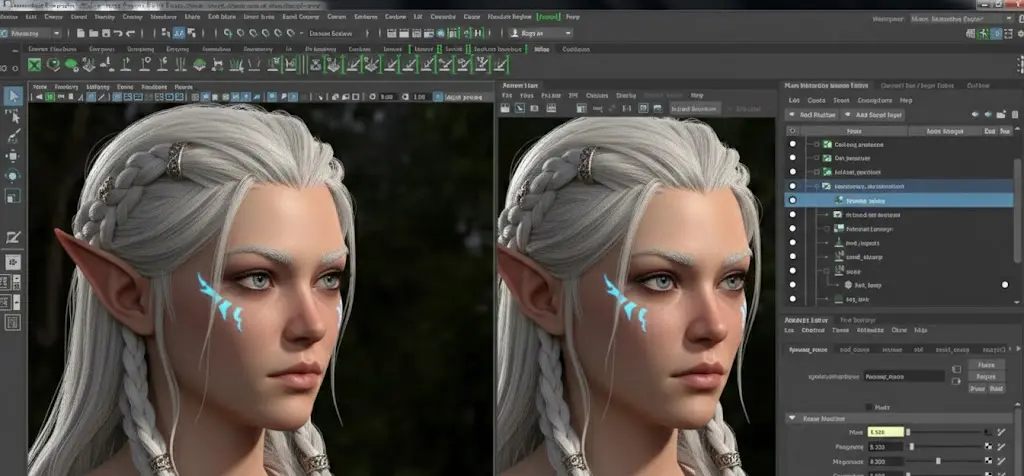
Cinema 4D is a professional-grade 3D animation software widely used for 3D industrial animation and marketing visuals. Its clean interface makes it approachable for beginners entering 3D workflows.
Core Capabilities
- Advanced 3D modeling and texturing tools
- Motion graphics engine integration
- Product visualization features
- Realistic lighting and rendering systems
- Flexible export and plugin compatibility
Marketing teams and production houses prefer Cinema 4D for its reliability and high-quality visual output.
8. Autodesk Maya
Autodesk Maya is a high-end 3D animation software known for character rigging, motion capture integration, and complex simulations. It is widely used in film, gaming, and medical animation projects.
Core Capabilities
- Advanced character rigging systems
- Motion capture and simulation tools
- Procedural animation controls
- High-end rendering capabilities
- Pipeline integration for large productions
Studios and game developers prefer Maya for its depth, flexibility, and industry-wide adoption.
9. Powtoon
Powtoon is a user-friendly animation platform focused on animated explainer video services, social media animation, and marketing content creation. It simplifies animation for beginners through guided templates and branding kits.
Core Capabilities
- Ready-made animated templates
- Drag-and-drop scene editor
- Text and character animation presets
- Brand customization tools
- Direct export for social platforms
Marketers and startups prefer Powtoon for its quick production workflow and ease of use.
10. Adobe Animate
Adobe Animate is a versatile 2D animation software suited for cartoon animation, educational videos, and logo animation services. Its HTML5 support makes it ideal for web-based and interactive content.
Core Capabilities
- Vector-based drawing tools
- Timeline and keyframe animation system
- HTML5 canvas export support
- Interactive animation features
- Multi-format publishing options
Designers and educators prefer Adobe Animate for its flexibility in creating interactive and cross-platform animations.
How to Evaluate Animation Software: Step-by-Step Checklist
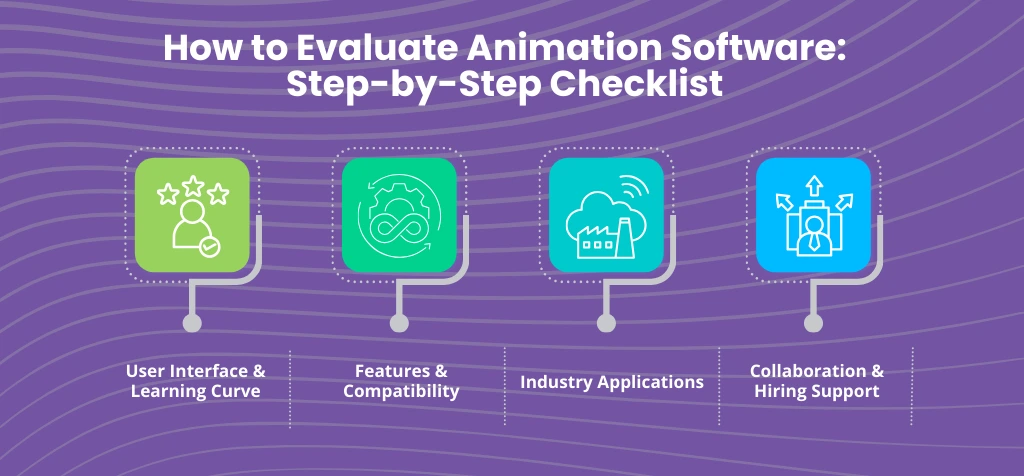
To find the best animation software for beginners, you need to follow a set process. Instead of choosing tools just because they are popular, make sure your investment fits with your creative and professional goals by looking at how easy they are to use, what features they have, how well they work with other tools, and how much potential they have for growth in the future.
User Interface & Learning Curve
When selecting animation software for beginners, prioritize platforms with intuitive dashboards and minimal technical complexity. The best animation software with easy UI for beginners reduces the learning curve, allowing users to focus on storytelling and core animation principles rather than navigating complicated controls.
Features & Compatibility
Understanding animation tool features explained in product documentation helps determine real value. Evaluate animation export & format support, plugin flexibility, and VFX integration tools to ensure compatibility with modern workflows. The right animation software for beginners should scale as project complexity increases.
Industry Applications
Effective animation software for beginners must align with your target industry. Whether producing animation software for social media content, developing eLearning animation solutions tools, or building corporate training animation tools, ensure the platform supports multiple output formats and professional publishing standards.
Collaboration & Hiring Support
As projects grow, collaboration becomes essential. Look for animation tools that support hiring studios & collaboration, enabling teams to work seamlessly. Businesses planning to hire 2D animators or hire 3D animators should select platforms that integrate shared workflows and version control features efficiently.
Why Animakerz is a Good Choice
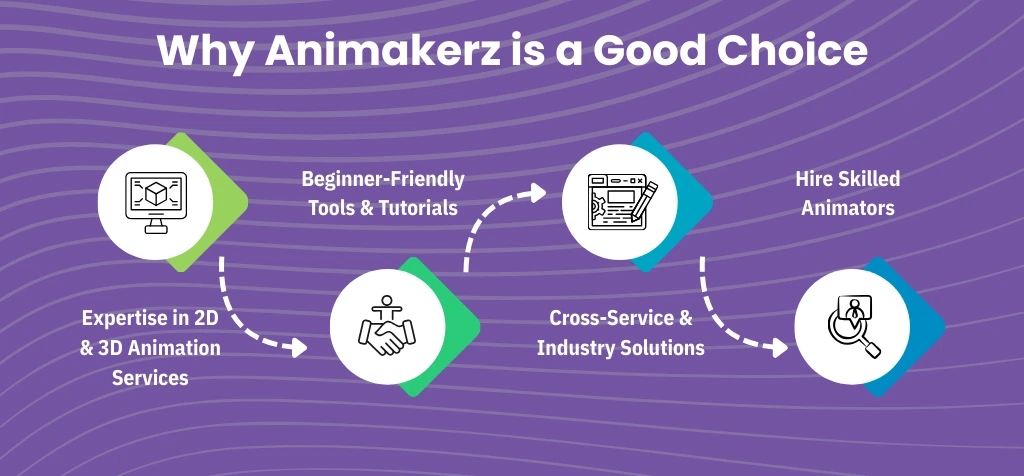
Picking the right animation partner is just as important as picking the right software. Animakerz connects learning and professional production by providing structured guidance and high-quality animation services for beginners, growing brands, and businesses.
Expertise in 2D & 3D Animation Services
Animakerz offers high-quality 2D and 3D animation services, as well as creative motion graphics services, to a wide range of industries. The team makes sure that all of their projects, big and small, are technically accurate and tell a good story, from branding visuals to whiteboard animation services.
Beginner-Friendly Tools & Tutorials
Animakerz gives new users access to organized resources, such as curated animation software for beginners and detailed animation tutorials. Step-by-step instructions make learning easier, which helps aspiring animators gain confidence while learning important skills.
Cross-Service & Industry Solutions
Animakerz supports brands with animation services for social media, structured eLearning animation solutions, and engaging corporate video animation projects. As an experienced educational animation company, it creates content that enhances communication across marketing, training, and academic environments.
Hire Skilled Animators
Businesses seeking advanced production support can hire 2D animators or hire 3D animators through Animakerz. From branding visuals to education video animation services, clients gain access to experienced professionals capable of delivering polished, industry-ready results.
Final Thoughts
Selecting the right animation software for beginners is a critical first step toward building strong creative and technical foundations. The right tool not only simplifies learning but also supports long-term growth across 2D design, motion graphics, and 3D production.
Animakerz makes this journey better by combining structured tutorials, guided mentorship, and real-world experience with professional 2D and 3D animation services. Their knowledge helps you connect what you learn with what you do in the real world, whether you’re doing animation as a hobby or getting ready for a career.
Frequently Asked Questions
The best animation software for beginners is one with a simple interface, drag-and-drop features, and ready-made templates such as Animaker, Powtoon, or Moho for smooth learning.
Start with 2D to understand core principles. Mastering basic movement and timing builds strong animation fundamentals for newbies before transitioning into more complex 3D workflows.
Yes. Tools like Blender and Synfig provide powerful free features suitable for structured learning and portfolio building without initial investment.
Absolutely. Many beginner-friendly platforms are designed for short-form social media content and professional corporate presentations with export-ready templates.
With consistent practice, most learners gain working proficiency in 3 to 6 months. Following structured animation career tips for beginners accelerates growth significantly.
